Behind Koberger
Why I Added the Preset Library to Koberger
How publishing multiple books shaped Koberger's Preset Library and reusable Section Library features for authors managing a growing catalog.
One of the things that surprised me after publishing my first novel was how little time I spent thinking about the front and back matter.
At the time, the book had a simple copyright page at the front and a short thank you page at the back. I put them together, published the book, and moved on with my life.
Then I wrote a second book.
Suddenly I needed an "Also By" page. Readers who enjoyed the second book needed a way to discover the first. I updated my author bio. I added a few links. It wasn't a huge amount of work, but it was enough to make me realize that publishing a second book is different from publishing a first.
Then I published a third.
Now I was updating multiple books every time something changed. A new release meant updating the reading order. The author bio needed tweaking. The "Also By" section had to be expanded. Every update was small, but I found myself opening old projects and making the same edits over and over again.
None of these jobs were difficult. They were just repetitive.
As both an author and a developer, repetitive tasks tend to irritate me. Not because they're difficult, but because they're usually a sign that a process could be improved.
At some point I found myself staring at an author bio I'd copied from one book into another and wondering why I was still doing this manually.
The more I thought about it, the more obvious the problem became.
Formatting software tends to focus on creating a single book. That's understandable. A manuscript goes in, a finished ebook or print file comes out. Job done.
But that's not really how publishing works once you've released a few books.
At the time of writing, I've published three books in my football romance series and I'm currently preparing the fourth. Every time I release a new title, I want readers to be able to discover the rest of the series. I want the reading order to be accurate. I want my author information to be current. I want my calls to action to be consistent.
In other words, I'm not managing a single book anymore. I'm managing a catalog.
And that's where the idea for the Preset Library came from.
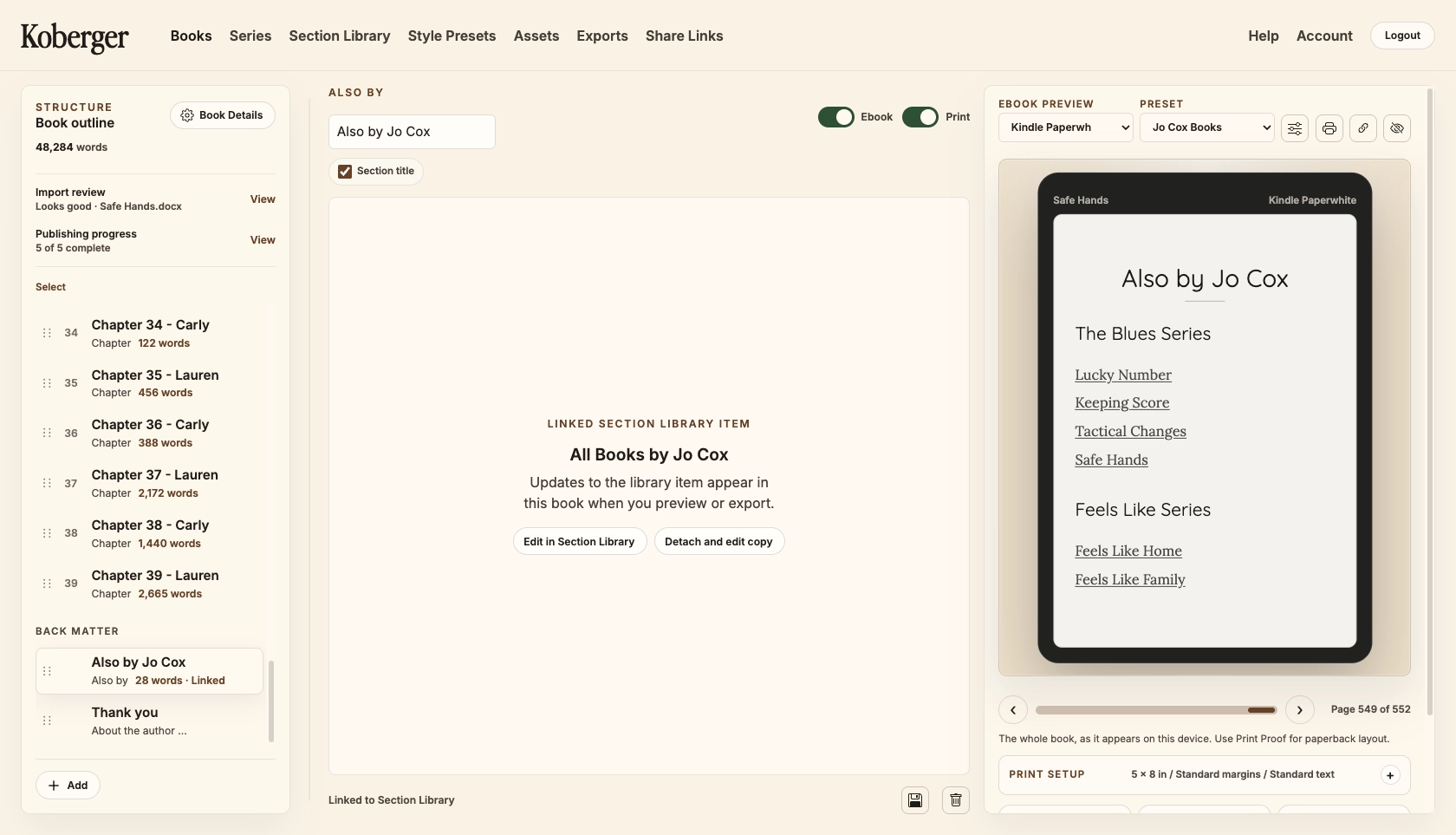
Rather than rebuilding the same sections every time I started a new project, I wanted a way to save content that I knew I'd need again later. Things like copyright pages, author bios, acknowledgments, newsletter invitations and series reading orders aren't unique to a single book. They're assets that get reused repeatedly throughout a publishing career.
So instead of forcing authors to recreate them every time, Koberger allows them to be saved as presets and inserted whenever they're needed.
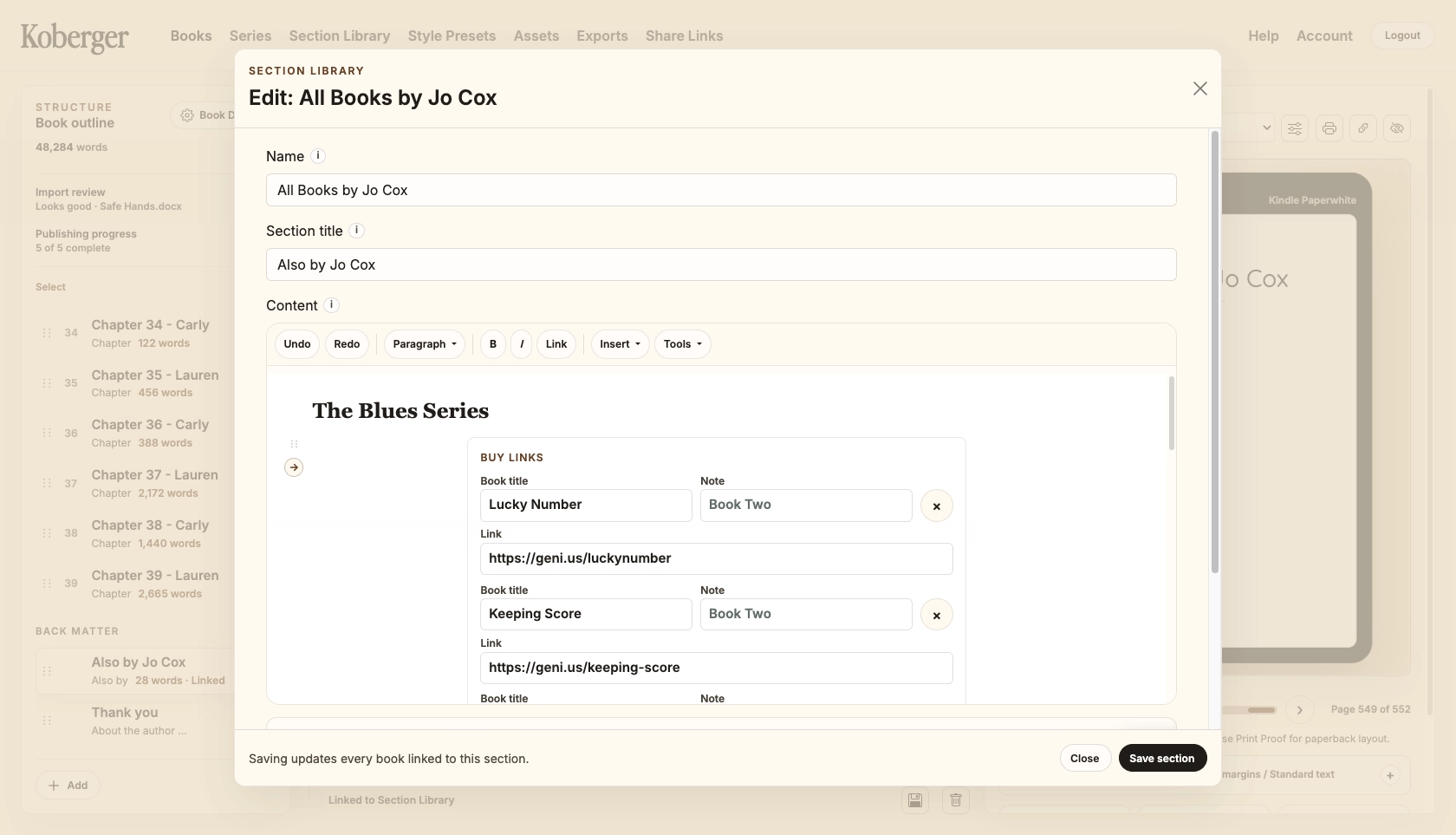
On the surface, that sounds like a small feature.
In reality, it's one of the features I use most.
The obvious benefit is that it saves time. If you've already written your author bio once, there's very little value in typing it out again for every new project. The same is true of acknowledgments, copyright pages and other recurring content.
But the bigger benefit is consistency.
Readers don't experience your books in isolation. They experience your catalog. If somebody enjoys one of my books and then moves on to another, I want those books to feel connected. I want the information to be accurate. I want readers to be able to find the next book in the series without having to search for it. I don't want to be maintaining multiple slightly different versions of the same content simply because I copied and pasted it from one project to another.
The Preset Library helps make that possible.
Like many parts of Koberger, it wasn't created because I sat down and tried to invent a feature.
It was created because I kept running into the same publishing problem and eventually decided there had to be a better way.
When I was building Koberger, I found myself thinking less about formatting a single book and more about maintaining an entire catalog. That's a very different mindset.
Formatting a manuscript is a one-time task.
Managing a series is an ongoing process.
Every new release affects the books that came before it. Every update creates a ripple effect across your catalog. Once I started thinking about publishing in those terms, I found myself building features that weren't just about formatting a manuscript, but about maintaining a body of work over time.
The Preset Library grew out of that realization.
Looking back, I'm not sure I would have built this feature if I only wrote standalone novels.
Writing a series changes the way you think about publishing. You're no longer managing a single manuscript. You're managing a collection of books that work together.
That shift influenced a surprising number of decisions in Koberger. Series support, reusable content, reading order management and back matter handling all come from the same underlying idea: publishing is rarely a one-book activity.
For many authors, it's an ongoing process of maintaining and improving a growing catalog.
The Preset Library is simply one of the most visible examples of that philosophy.
It's not the flashiest feature in Koberger. It won't make for dramatic before-and-after screenshots. Most authors aren't actively looking for reusable copyright pages.
But after you've published a few books and find yourself making the same updates for the third, fourth or fifth time, its value becomes much more obvious.
For me, it solved a real publishing problem. And like many of the features in Koberger, that's ultimately why it exists.